The front desk takes more kinds of payment than it used to
A patient pays a $35 hygiene copay in cash. The next puts a crown on CareCredit. The mail brings two insurance checks for balances from last month, and someone at checkout pays the rest of an orthodontic plan by card. By 5:00 PM the drawer has cash in it, the card terminal has a batch, and the practice management system has a ledger, and someone has to make all three agree.
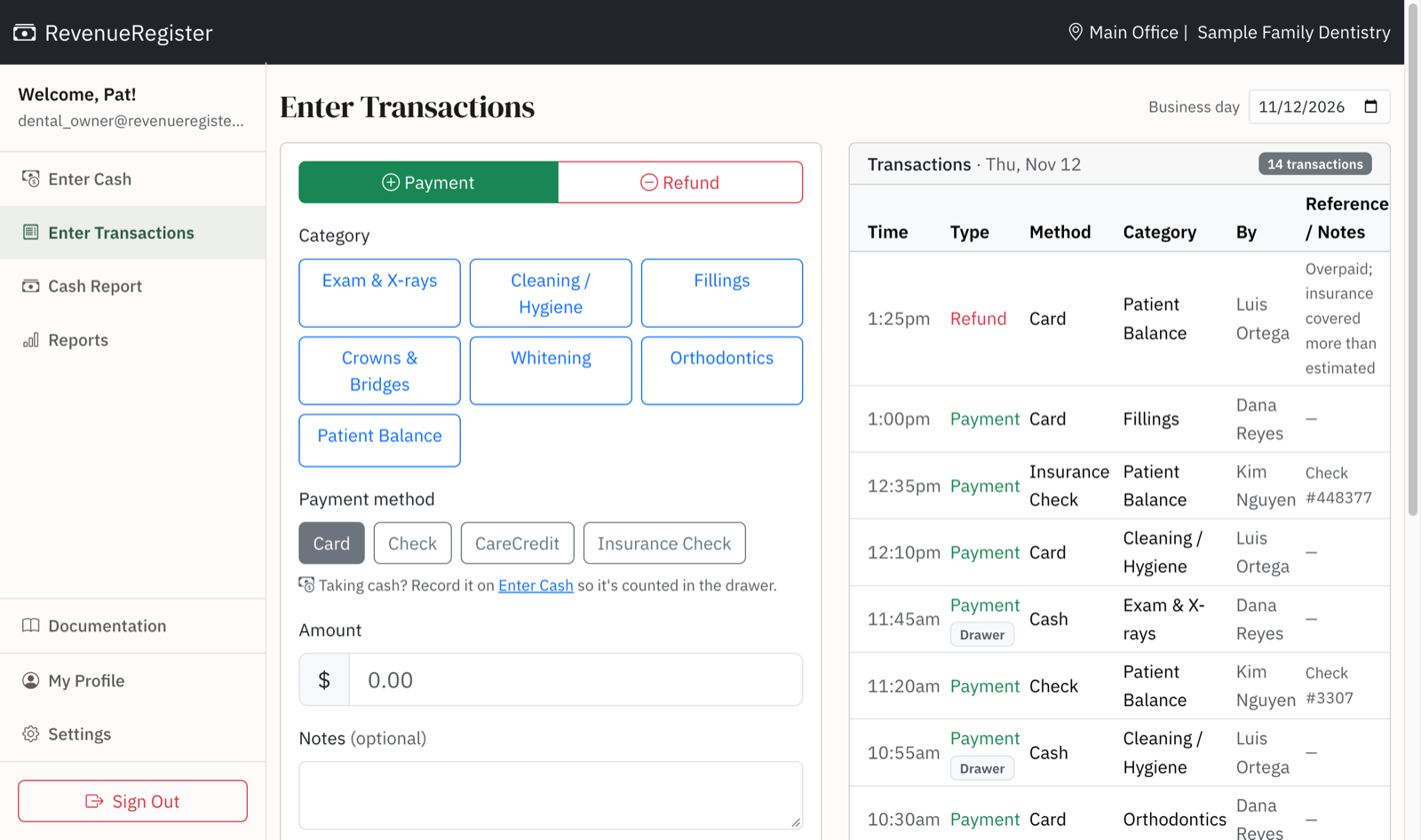
RevenueRegister gives the front desk one place to record each payment as it happens: a payment register that tags every payment with the procedure, how the patient paid, and who took it. The end-of-day report is ready when the last patient leaves.
Set up categories for your procedures
Categories are what patients pay for. You name them during a five-minute setup, and you can change them any time. A general practice might start with:
- Visits and preventive care: Exam & X-rays, Cleaning / Hygiene
- Restorative and cosmetic: Fillings, Crowns & Bridges, Whitening
- Treatment plans: Orthodontics
- Everything else: Patient Balance, for payments on prior visits and insurance remainders
Payment methods are separate: Cash, Card, Check, CareCredit, and Insurance Check cover most practices. The Transaction ID field holds the check number, so matching an insurance check to its deposit takes seconds.
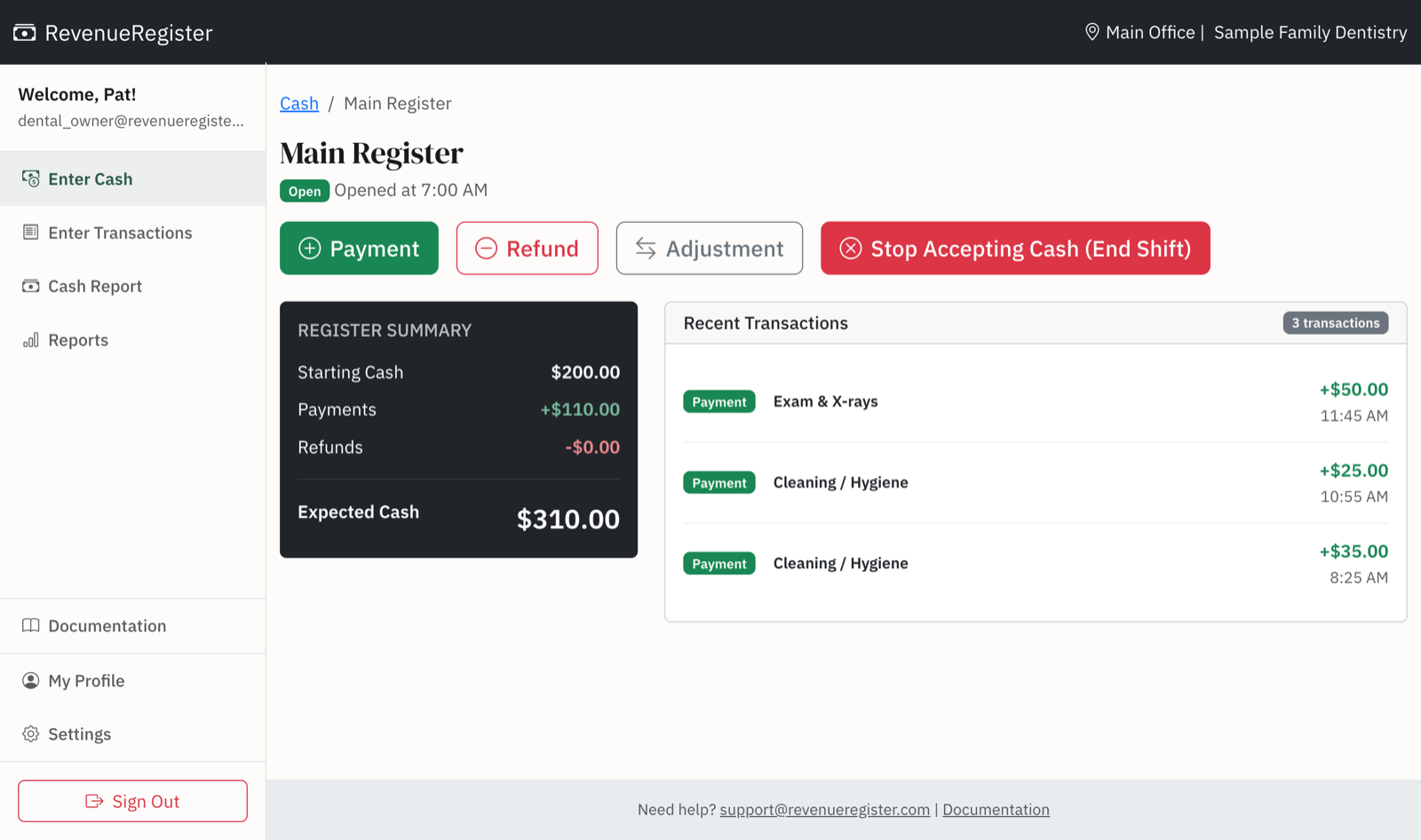
A cash drawer that actually gets counted
Copays still come in cash, and cash is where small mistakes and missing money hide. With drawer tracking on, the first person in opens the drawer with a starting count, cash payments go through it, and the last person out closes it with a count. RevenueRegister shows the expected cash and whether the drawer came out over or short, and it asks for a note when it doesn't match.
Owners and office managers get an email the next morning about any drawer left open or off by more than $50. Our article on how dental and medical offices handle cash at the front desk covers the routines that work.
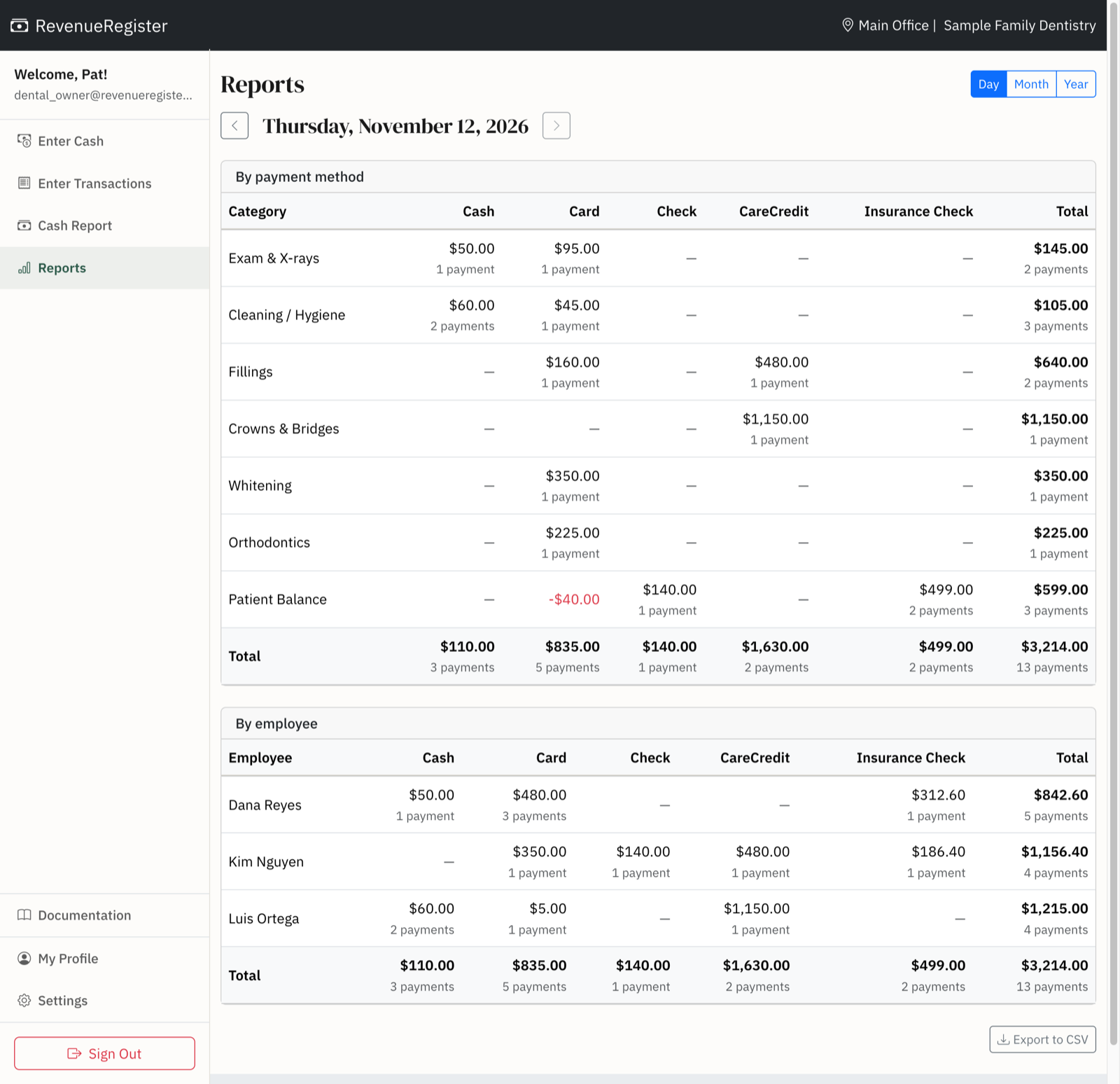
One end-of-day report
The day view of Reports puts every procedure against every payment method, cash from the drawer included, with a by-employee table underneath. Compare the Card total to your processor's batch, CareCredit to its daily settlement, and checks to the deposit slip. Click any total to see the payments behind it.
Refunds are recorded under the category they came from, with a required reason, so an overpayment returned after an insurance explanation of benefits comes out of Patient Balance instead of disappearing. Managers can edit or delete any payment from Reports, and every change goes into the audit log. Front desk staff can record payments but can't change them afterward.
Prefer daily totals? That works too
Some practices would rather not record payments twice. If your practice management system already itemizes every payment, we can turn on Daily Revenue instead of procedure categories: each day, the front desk enters one total per payment method, copied from the practice management system's day sheet, and cash fills in from the drawer automatically. Edits to past days require a note, so the history stays honest. A location uses one approach or the other, and you can switch later.

Month-end and multiple offices
Month and year views total every procedure and payment method on their own, ready to export to CSV for your accountant. Each office is its own location with its own drawer and reports, so a group practice can see every office from one login while each office manager sees only their own.